

What Is Workflow Automation? A Complete Enterprise Guide to Workflow Automation Software

Modern organizations operate in increasingly complex environments. Teams collaborate across time zones, departments depend on interconnected systems, and customers expect faster turnaround times than ever before. As businesses grow, so do their processes. What once worked through email coordination and manual follow-ups eventually becomes inefficient, error-prone, and difficult to scale.
This is where workflow automation becomes essential.
Workflow automation is a structured approach to designing, executing, and managing business processes using technology, typically powered by enterprise-grade workflow management software that centralizes and standardizes execution. Instead of relying on manual task coordination, automation ensures that predefined rules guide how work moves from one step to the next. It reduces delays, eliminates repetitive effort, and creates consistent process execution across the organization.
For enterprises seeking operational efficiency, cost control, and scalability, workflow automation software is no longer optional. It is a strategic enabler that transforms fragmented workflows into measurable, optimized systems.
In this guide, we break down what workflow automation is, why it matters, and how organizations can leverage workflow automation software to improve productivity and streamline operations.
What Is Workflow Automation?
Workflow automation refers to the use of digital tools to automatically manage and execute business processes based on predefined rules, triggers, and conditions. It replaces repetitive manual coordination with structured, technology-driven sequences.
A workflow is simply a series of steps required to complete a task or process. Workflow automation ensures those steps occur automatically and consistently.
For example, consider an employee onboarding process. Without automation, HR must manually send emails, IT must manually provision access, and managers must remember to assign training. With workflow automation software, once the new hire is entered into the system, the following actions can happen automatically:
- A welcome email is triggered
- Training modules are assigned
- IT access tickets are generated
- Payroll receives the necessary information
- Calendar invites for onboarding sessions are scheduled
The workflow executes based on logic, not memory.
At a technical level, workflow automation systems operate using:
- Triggers (events that start the workflow)
- Conditions (rules that determine the path)
- Actions (automated steps performed by the system)
- Logging and tracking (documentation of completion and performance)
This structured execution reduces dependency on emails, reminders, and manual oversight.
Workflow automation does not eliminate human decision-making. Instead, it removes repetitive coordination so employees can focus on higher-value work.
Why Workflow Automation Is Necessary for Organizations
As organizations scale, manual processes create operational bottlenecks. What begins as manageable coordination soon becomes time-consuming and inconsistent. Workflow automation addresses these challenges systematically.
1. Increasing Process Complexity
Modern enterprises operate across departments such as HR, finance, IT, marketing, operations, and customer service. Each function depends on data from others. Without automation, coordination relies on manual communication, which increases friction.
Workflow automation connects systems and ensures information flows seamlessly across teams.
2. Eliminating Repetitive Manual Tasks
Administrative tasks such as:
- Data entry
- Follow-up emails
- Approval reminders
- Document routing
- Status tracking
consume significant time but add minimal strategic value. Workflow automation software eliminates these repetitive steps, allowing employees to focus on decision-making and innovation.
3. Reducing Human Error
Manual processes are prone to mistakes. Missed approvals, incorrect data entry, and inconsistent documentation can lead to delays, compliance risks, and financial losses.
Automated workflows execute the same way every time, reducing variability and strengthening governance.
4. Improving Operational Transparency
Workflow automation platforms provide real-time dashboards that show:
- Task progress
- Approval status
- Process completion time
- Bottlenecks and delays
This visibility enables managers to make data-driven adjustments and continuously optimize workflows.
5. Supporting Business Scalability
Scaling manual processes requires additional staff. Scaling automated workflows requires updating rules and configurations.
Workflow automation allows organizations to grow without proportionally increasing administrative workload.
Key Benefits of Workflow Automation Software
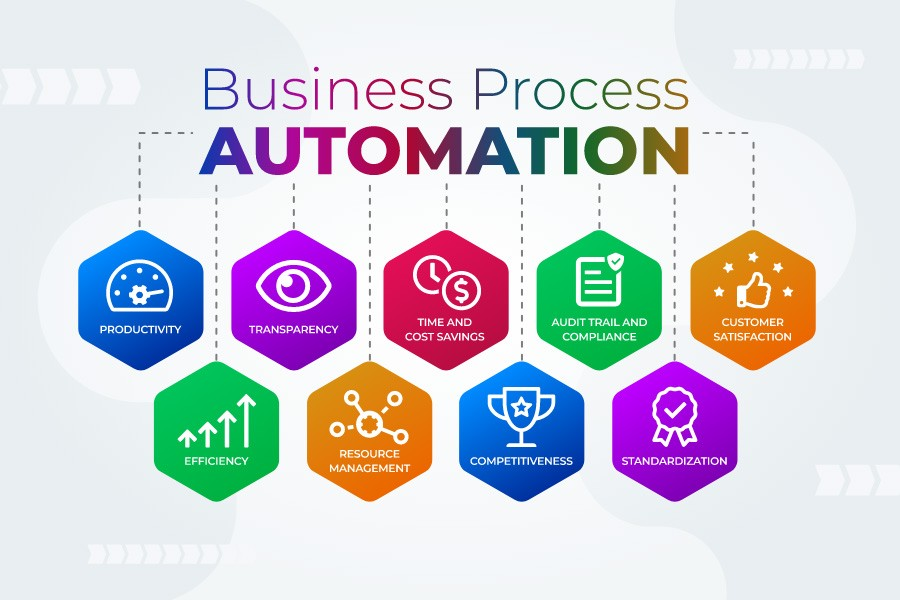
Organizations that implement workflow automation software often experience measurable performance improvements.
Enhanced Efficiency and Speed
Automated workflows execute instantly when triggered. There is no waiting for manual follow-ups or clarification emails. Processes move forward without unnecessary delay.
This reduces cycle times across departments.
Standardized Execution
Consistency is critical for compliance and quality control. Workflow automation ensures every process follows the same sequence, reducing risk and improving audit readiness.
Improved Collaboration
Automation tools notify stakeholders when their input is required. This eliminates confusion about task ownership and reduces communication breakdowns.
Collaboration becomes structured and traceable.
Lower Operational Costs
By minimizing repetitive effort and reducing rework caused by errors, workflow automation lowers administrative expenses.
Automation improves return on workforce investment, especially when supported by an advanced employee productivity tracker that provides measurable visibility into how work is executed across teams.
Better Resource Utilization
Employees spend less time coordinating and more time contributing strategically. This improves engagement and productivity simultaneously.
Real-World Examples of Workflow Automation
Workflow automation is applicable across industries and functions.
HR and Onboarding
- Automating employee onboarding sequences
- Managing leave approvals
- Tracking performance review cycles
Finance and Accounting
- Automating invoice approvals
- Processing expense reimbursements
- Managing purchase order workflows
IT Service Management
- Ticket routing and escalation
- Access provisioning
- Incident resolution tracking
Marketing and Content Operations
- Scheduling campaigns
- Managing content approval workflows
- Tracking asset creation
Customer Operations
- Client onboarding automation
- Contract routing for e-signature
- Support request triaging
In each case, workflow automation replaces fragmented coordination with structured digital execution.
The Strategic Role of Workflow Automation in Digital Transformation
Workflow automation is often a foundational step in broader digital transformation initiatives. It modernizes how organizations operate internally and creates a platform for further innovation.
By automating workflows, organizations:
- Create data visibility
- Reduce process latency
- Improve system integration
- Build scalable infrastructure
- Strengthen governance frameworks
Workflow automation is not merely a productivity enhancement. It is a process optimization strategy that supports long-term competitiveness.
How to Automate Your Workflows: A Structured Approach
Successful workflow automation does not begin with software selection. It begins with process clarity.
Organizations often make the mistake of automating inefficient processes. Automation accelerates execution, but it does not fix poor design. Therefore, the first step is evaluation and optimization.
Step 1: Identify Repetitive and Rule-Based Tasks
Start by mapping processes that:
- Involve repeated manual coordination
- Follow predictable decision rules
- Require multiple approval steps
- Depend heavily on email follow-ups
- Generate frequent delays or errors
Examples include onboarding approvals, invoice routing, expense reimbursements, content publishing workflows, IT ticket escalations, and service requests.
Tasks that are repetitive, time-consuming, and rule-based are ideal automation candidates.
Step 2: Evaluate Existing Process Bottlenecks
Before automating, examine the current process.
Ask:
- Where are delays occurring?
- Which steps require unnecessary approvals?
- Is information duplicated across systems?
- Are responsibilities clearly defined?
Process mapping helps visualize inefficiencies. Removing redundant steps before automation ensures better results.
Step 3: Define Workflow Triggers and Conditions
Workflow automation operates through logic.
Triggers initiate the process. Examples include:
- Form submission
- New record creation
- Payment request
- System alert
Conditions determine how the workflow proceeds. For example:
- If expense amount exceeds threshold, escalate approval
- If onboarding role equals “Manager,” assign advanced training
Defining clear logic ensures automation reflects business rules accurately.
Step 4: Configure Automated Actions
Actions are the operational steps executed by the system. These may include:
- Sending notifications
- Creating tickets
- Updating records
- Assigning tasks
- Generating reports
- Integrating data between systems
Automated actions eliminate dependency on manual coordination.
Step 5: Test and Pilot the Workflow
Before organization-wide deployment, test the workflow in a controlled environment.
Evaluate:
- Accuracy of rule execution
- Clarity of notifications
- Integration stability
- User experience
Piloting reduces implementation risk and improves adoption.
Step 6: Monitor, Optimize, and Scale
Workflow automation is not a one-time setup. Performance metrics such as completion time, exception rates, and escalation frequency should be monitored continuously.
Over time, workflows can be refined and expanded across departments.
Automation should evolve with business growth.
What Features to Look for in Workflow Automation Tools
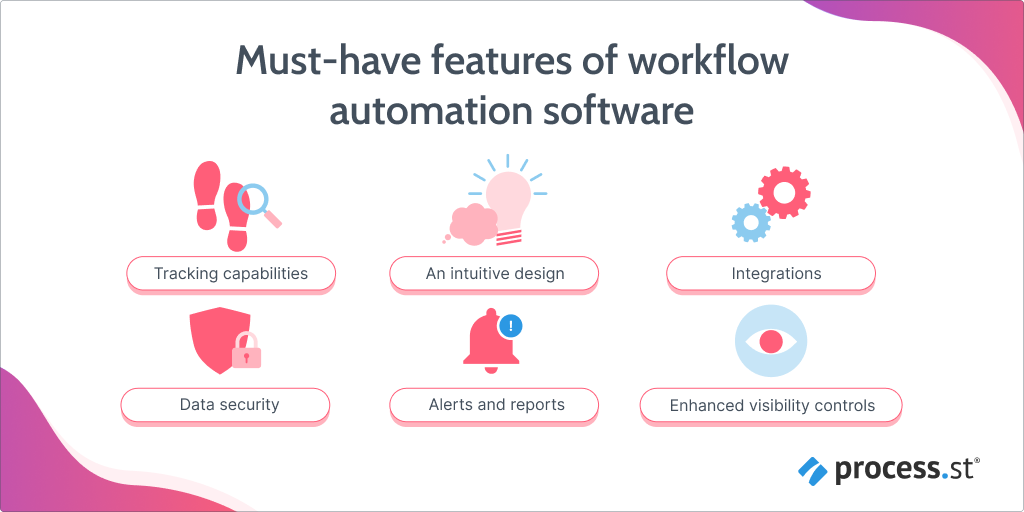
Selecting the right workflow automation software requires more than reviewing feature lists. Organizations should prioritize tools that support scalability, integration, and governance.
1. User-Friendly Interface
A visual, drag-and-drop workflow builder enables non-technical users to design processes. Intuitive interfaces improve adoption and reduce reliance on IT teams for configuration.
2. Conditional Logic and Rule-Based Automation
Advanced tools allow complex conditional branching. This is critical for organizations with layered approval structures and multi-step processes.
3. Integration Capabilities
Workflow automation platforms should integrate with:
- HR systems
- CRM platforms
- ERP systems
- Payroll tools
- IT service management software
- Collaboration platforms
Integration ensures data flows seamlessly without manual transfer.
4. Reporting and Analytics
Dashboards and analytics provide visibility into:
- Process completion rates
- Bottlenecks
- SLA compliance
- Volume trends
Insights enable continuous process optimization.
5. Role-Based Access Controls
Enterprise-grade workflow automation tools must support:
- User permissions
- Role-based visibility
- Audit trails
- Data access controls
This protects sensitive information and strengthens compliance.
6. Scalability
As organizations grow, workflows become more complex. The software must handle increasing volume without performance degradation.
Scalable systems protect long-term investment.
Low-Code vs No-Code Workflow Automation Platforms
The rise of low-code and no-code platforms has made workflow automation more accessible.
No-Code Platforms
No-code tools allow users to design workflows without writing any code. They use visual builders and predefined logic blocks.
Benefits:
- Faster implementation
- Reduced technical dependency
- Lower training barriers
Best suited for standardized business processes.
Low-Code Platforms
Low-code tools offer visual design but allow customization through scripting when necessary.
Benefits:
- Greater flexibility
- Ability to handle complex integrations
- Custom logic implementation
Ideal for enterprises with specialized workflow requirements.
Organizations should choose based on complexity, internal expertise, and long-term scalability goals.
Integration Architecture in Workflow Automation
Workflow automation does not operate in isolation. Its effectiveness depends on integration with existing systems.
A strong integration architecture ensures:
- Real-time data synchronization
- Reduced data duplication
- Elimination of manual transfer errors
- Consistent reporting across platforms
Modern workflow automation software typically uses:
- APIs (Application Programming Interfaces)
- Webhooks
- Middleware connectors
- Cloud-based integration layers
Well-designed integration prevents data silos and ensures workflow continuity across departments.
Security and Governance in Workflow Automation
As workflows handle sensitive operational data, security must be a priority.
Organizations should evaluate:
- Data encryption standards
- Multi-factor authentication
- Audit trail documentation
- Regulatory compliance support
- Data retention policies
Workflow automation platforms must align with organizational cybersecurity frameworks and compliance obligations.
Security should never be an afterthought.
How to Choose the Right Workflow Automation Software
Selecting workflow automation software is a strategic decision that impacts operational efficiency, scalability, and long-term digital transformation. Organizations must evaluate solutions based on more than surface-level features.
1. Align Software with Business Objectives
Before evaluating vendors, define what success looks like.
Are you aiming to:
- Reduce administrative workload?
- Improve compliance tracking?
- Shorten approval cycles?
- Increase operational transparency?
- Enable cross-system integration?
The software must align with measurable business outcomes.
2. Evaluate Depth of Automation Capabilities
Some tools support basic task routing, while others enable complex multi-layered workflows with conditional logic and escalation rules.
Enterprise organizations require platforms that can:
- Handle cross-department processes
- Manage role-based approvals
- Integrate with multiple enterprise systems
- Support high-volume process execution
Choose tools that match workflow complexity.
3. Prioritize Integration and Interoperability
Workflow automation delivers maximum value when it integrates seamlessly with:
- ERP platforms
- HR management systems
- CRM tools
- Finance systems
- IT service management platforms
Disconnected tools create new silos instead of solving inefficiencies.
4. Assess Analytics and Visibility
Advanced workflow automation software should provide dashboards that track:
- Cycle time
- SLA adherence
- Escalation frequency
- Process volume
- Approval delays
Without analytics, automation becomes invisible and difficult to optimize.
5. Consider Scalability and Performance
As organizations grow, process volume increases. The platform must handle expanding user bases and workflow complexity without latency or performance degradation.
Scalability ensures long-term sustainability.
6. Evaluate Security and Compliance Readiness
Automation platforms must align with enterprise security standards, including:
- Encryption protocols
- Access controls
- Audit logging
- Regulatory compliance support
Security governance is critical when workflows handle financial, HR, or operational data.
7. Assess User Adoption and Change Management Support
Even the most advanced automation tool fails without adoption.
Look for:
- Intuitive design
- Minimal training requirements
- Clear documentation
- Vendor onboarding support
User adoption determines ROI.
Workflow Automation vs Robotic Process Automation (RPA)
Workflow automation and robotic process automation are often confused but serve distinct purposes.
Workflow Automation
Workflow automation manages end-to-end processes. It orchestrates tasks across teams and systems, ensuring that steps flow logically from initiation to completion.
It is ideal for:
- Onboarding processes
- Multi-step approvals
- Service request routing
- Cross-functional operations
Workflow automation focuses on coordination, visibility, and governance.
Robotic Process Automation (RPA)
RPA automates repetitive, rule-based tasks at the interface level. It mimics human actions such as:
- Copying and pasting data
- Transferring files
- Logging into systems
- Extracting information
RPA operates within systems but does not manage full workflows across departments.
Key Differences
| Workflow Automation | Robotic Process Automation |
| Manages entire processes | Automates specific tasks |
| Connects systems and teams | Mimics human actions in software |
| Improves coordination and visibility | Improves task-level efficiency |
| Ideal for multi-step operations | Ideal for repetitive micro-tasks |
Many organizations combine both approaches for maximum efficiency. Workflow automation governs process flow, while RPA handles repetitive task execution within those workflows.
Industry Applications of Workflow Automation
Workflow automation is not limited to one sector. Its value extends across industries.
Human Resources
- Employee onboarding automation
- Leave approval workflows
- Performance review cycles
- Document management
Automation ensures compliance and reduces HR administrative burden.
Finance and Accounting
- Invoice approval workflows
- Expense management automation
- Purchase order processing
- Audit documentation routing
Finance teams benefit from faster approvals and improved accuracy.
IT Operations
- Service desk ticket routing
- Access provisioning
- Incident escalation
- Change management workflows
Automation improves response time and operational reliability.
Marketing and Sales
- Campaign approval workflows
- Lead assignment automation
- Content publishing processes
- CRM data synchronization
Marketing teams gain process clarity and faster execution.
Operations and Service Delivery
- Client onboarding
- Contract approvals
- Field service coordination
- SLA tracking
Workflow automation ensures consistency in service delivery.
Workflow Automation Services and Enterprise Enablement
Beyond software, successful automation requires structured implementation and ongoing optimization.
Enterprise workflow automation services typically include:
- Process discovery and mapping
- Automation strategy design
- Workflow configuration and deployment
- Integration setup
- Performance analytics configuration
- Governance framework design
Organizations benefit most when automation aligns with broader workforce management and productivity analytics strategies.
Automation should not exist in isolation. It must connect with performance insights and remote workforce management strategies to deliver sustainable value in hybrid and distributed environments.
The Strategic Impact of Workflow Automation
Workflow automation does more than save time. It reshapes how organizations operate.
It:
- Reduces operational latency
- Strengthens compliance frameworks
- Improves accountability
- Enhances cross-functional collaboration
- Enables scalable growth
Organizations that embrace workflow automation position themselves for long-term agility and competitiveness.
Manual coordination cannot sustain modern enterprise complexity.
Automation provides structure where fragmentation once existed.
Conclusion
Workflow automation has become a foundational capability for modern enterprises. As business processes grow more complex, manual coordination limits scalability and introduces operational risk.
By implementing structured workflow automation software, organizations can eliminate inefficiencies, reduce errors, improve visibility, and strengthen governance. When combined with strong integration architecture and analytics, automation becomes a strategic advantage.
The future of efficient operations lies in intelligent workflow design supported by automation technology.
Organizations that invest in workflow automation today build the operational backbone for tomorrow’s growth.
Frequently Asked Questions
How does workflow automation improve productivity?
Workflow automation improves productivity by eliminating repetitive manual tasks, reducing errors, and speeding up approvals. Employees can focus on strategic, value-driven activities instead of routine admin work.
Is ProHance suitable for IT workflow automation?
Yes. ProHance supports IT workflow automation by offering real-time tracking, analytics, and integration with IT processes, making it easier to streamline service requests and system tasks.
What industries can benefit from workflow automation?
Almost every industry can benefit from workflow and process automation. Sectors like HR, IT, healthcare, finance, and retail use automation to improve efficiency, reduce costs, and enhance customer and employee experiences.
How secure is ProHance’s workflow platform?
ProHance provides secure workflow automation solutions with compliance features, role-based access, and data protection protocols to ensure sensitive business information remains safe.
How does workflow automation improve productivity?
Workflow automation improves productivity by eliminating repetitive manual tasks, reducing approval delays, minimizing errors, and ensuring consistent process execution. Employees can focus on higher-value strategic work while automated systems handle routine coordination.
What is the difference between workflow automation and RPA?
Workflow automation manages complete processes across teams and systems, while robotic process automation focuses on automating repetitive, rule-based tasks within applications. Workflow automation provides end-to-end visibility, whereas RPA improves task-level efficiency.
Can workflow automation scale with business growth?
Yes. Workflow automation platforms are designed to scale as process volume and organizational complexity increase. Configurable rules and integration capabilities allow workflows to expand without proportionally increasing administrative workload.
Is workflow automation secure?
Enterprise workflow automation software includes security measures such as encryption, role-based access controls, audit trails, and compliance support. Proper governance ensures sensitive operational and financial data remains protected.
Which industries benefit most from workflow automation?
Industries such as HR, finance, IT, healthcare, marketing, retail, and operations benefit from workflow automation. Any organization managing repetitive, multi-step processes can improve efficiency, reduce errors, and enhance visibility through automation.
Learn how ProHance can help

Shikha Mishra
Shikha is a seasoned journalist and PR professional with over 20 years of experience. She has written for prestigious publications such as The Hindustan Times, Times of India, and Gulf News. She specializes in writing, editing, Public Relations and Corporate Communications. Shikha also excels in digital and traditional marketing, social media, and brand building.
