
What is Endpoint Management: A Comprehensive Guide
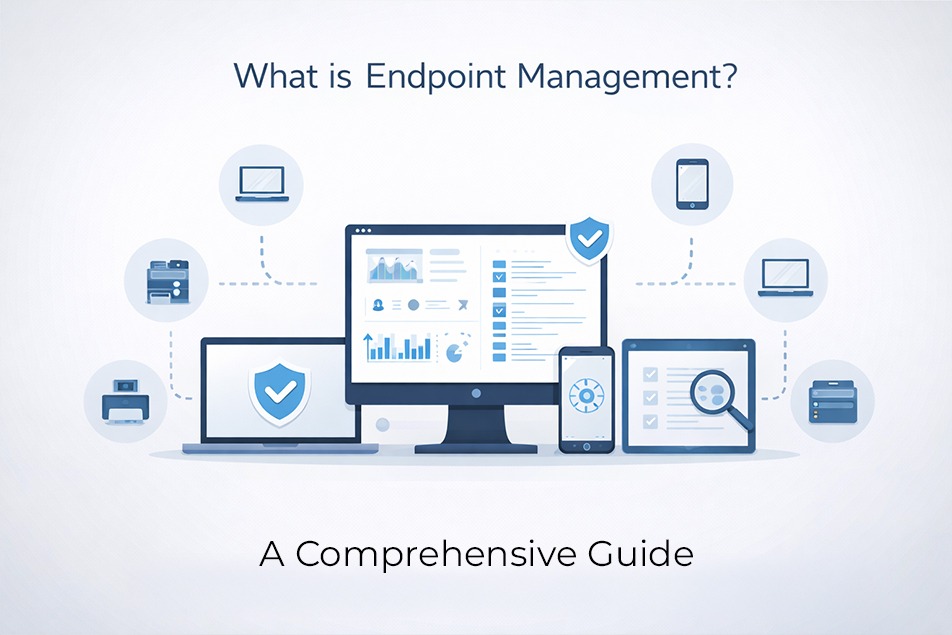
The modern workplace has evolved significantly in the last five years. Remote employees connect from home offices. Sales teams access company data on their phones. IoT devices monitor everything from office temperatures to production line efficiency.
All these devices create a massive security challenge. Each connection point becomes a potential entry for cybercriminals. One compromised laptop can expose an entire network. And that’s why businesses need endpoint management.
What is Endpoint Management?
Networks need systems to monitor, secure, and control device access. Every device that touches the company network counts as an endpoint:
- Desktop computers and laptops
- Smartphones and tablets
- Printers and scanners
- Security cameras
- Industrial sensors
- Smart office equipment
Endpoint device management handles the entire lifecycle of these devices. From the moment someone plugs in a new laptop to when they return it at resignation, endpoint management keeps track of everything.
The system knows what software runs on each device. It tracks security patches and compliance status. When something goes wrong, administrators can respond immediately.
Why Endpoint Management Matters Now?
The statistics tell a stark story:
- 1 in 5 IT managers hit by a cyberattack last year couldn’t even tell how attackers got in, and nearly the same number didn’t know how long the threat was active before being caught.
- Most cyberattacks (91%) start with phishing emails. People usually fall for them because they spark curiosity, trigger fear, or create a false sense of urgency.
- By the end of 2025, ransomware damage is expected to cost businesses $57 billion a year.
Remote work made the problem worse. Employees now connect from unsecured home networks. They use personal devices for business tasks. The corporate perimeter disappeared overnight.
What are the Core Functions of Endpoint Management?
Device Discovery and Tracking
The Endpoint Management system builds a complete inventory:
- Hardware specifications and serial numbers
- Operating system versions
- Installed software and versions
- Security patch status
- Network usage patterns
- User assignment and location data
This inventory updates in real-time. When someone connects a new device, the system knows immediately. Unauthorized devices trigger alerts before they can cause damage.
Configuration Control
Every device needs proper configuration to maintain security. Endpoint management systems deploy standard configurations automatically.
- New devices receive the correct settings during setup.
- Existing devices get updates when policies change.
- The system monitors for configuration drift.
When someone disables antivirus software or changes security settings, administrators get immediate alerts. Automated remediation can fix problems without human intervention.
Software and Patch Management
Keeping software current prevents most cyber attacks. But managing updates across hundreds of devices creates logistical nightmares. Endpoint management automates the entire process.
The system schedules updates during off-hours.
- Critical security patches deploy immediately.
- Less urgent updates can wait for maintenance windows.
- Users stay productive while staying protected.
Application deployment becomes equally simple with integrated workflow management tools. Need to roll out new software to the accounting team? The system handles installation, configuration, and licensing automatically.
Security Policy Enforcement
Endpoint management systems check every device before allowing network access. This zero-trust approach prevents infected devices from spreading malware.
The system can enforce granular policies:
- Restrict USB port access
- Block unauthorized applications
- Control printer and camera usage
- Limit network bandwidth
- Encrypt sensitive data automatically
Types of Endpoint Management Solutions
Traditional PC Management
These solutions focus on desktop and laptop computers. They excel in Windows-heavy environments with standardized hardware.
Legacy systems require on-premises servers and dedicated IT staff. They work well for traditional office environments but struggle with modern mobility requirements.
Mobile Device Management (MDM)
MDM solutions handle mobile-specific challenges like app stores, cellular connections, and touch interfaces.
MDM works for both company-owned and personal devices. The system can separate business and personal data on the same phone. Employees keep their privacy while companies maintain security.
Popular MDM features include:
- Remote device wipe capabilities
- App store restrictions
- Camera and microphone controls
- Location tracking for lost devices
- VPN configuration management
Unified Endpoint Management (UEM)
UEM combines traditional PC management with mobile capabilities. One platform handles every device type. This reduces complexity and training requirements for IT teams.
Cloud-based UEM solutions scale easily. They support distributed workforces without requiring local servers. Integration with identity management and security tools creates comprehensive protection.
What are the Business Benefits of Proper Endpoint Management?
- Stronger Security Posture
- Reduced IT Workload
- Better Compliance Management
- Cost Control
Stronger Security Posture
An endpoint management system provides complete visibility into device status through advanced operational analytics that help IT leaders make data-driven decisions.. Security teams can identify threats quickly and respond effectively. Automated remediation contains problems before they spread.
Reduced IT Workload
Endpoint management automates manual device management processes and complements employee time tracking software to provide complete visibility into workforce activity and utilization.. Self-service portals let users handle common requests independently. IT teams focus on strategic projects instead of routine maintenance.
Better Compliance Management
Endpoint management systems generate compliance reports automatically. The system enforces required security controls across all devices. It tracks access attempts and policy violations. When audit time arrives, the documentation already exists.
Cost Control
An endpoint management system tracks software licenses and usage. It identifies redundant applications and unused licenses. Automated deployment reduces support costs. Better security prevents expensive breach recovery.
Getting Started
The costs of poor endpoint security continue rising while management solutions become more affordable and easier to deploy.
Modern endpoint management solutions, such as ProHance, pay for themselves through reduced security incidents, lower IT costs, and improved productivity through advanced employee productivity monitoring capabilities.. The investment protects both current operations and future growth.
FAQs
How long does this whole thing take to set up?
You’ll see the basics working in about a month. Getting every single device properly managed? That’s more like 3-6 months for most companies. The good news is you can start small with a test group and see results within a week.
What if I accidentally turn off something important?
The system catches that stuff automatically. Try to disable antivirus by mistake? Your device loses network access until you fix it. Sounds harsh, but it beats dealing with a company-wide ransomware attack because someone clicked the wrong button.
How much is this going to cost us?
Depends on what you need. Basic protection starts around $3-5 per device each month. Fancy enterprise features bump that up to $8-15. Here’s the thing, though – most companies actually save money because they stop dealing with security disasters and constant IT support calls.
Do our remote workers need to do anything special?
Not really. If they can check email from home, endpoint management works fine too. The system handles all the technical stuff automatically. Your remote team gets the same protection as people sitting in the office.
Learn how ProHance can help

Nikita Bhutani
With nearly 14 years of experience in the Learning and Development (L&D) sector, Nikita brings a wealth of knowledge and expertise to her role at ProHance. As the head of Content Strategy within the Growth & Demand Generation team, she plays a pivotal role in shaping the organization’s content initiatives. Nikita’s diverse background spans various industry segments, including BPO, IT, and BFSI, providing her with a deep understanding of the unique challenges each sector faces.